
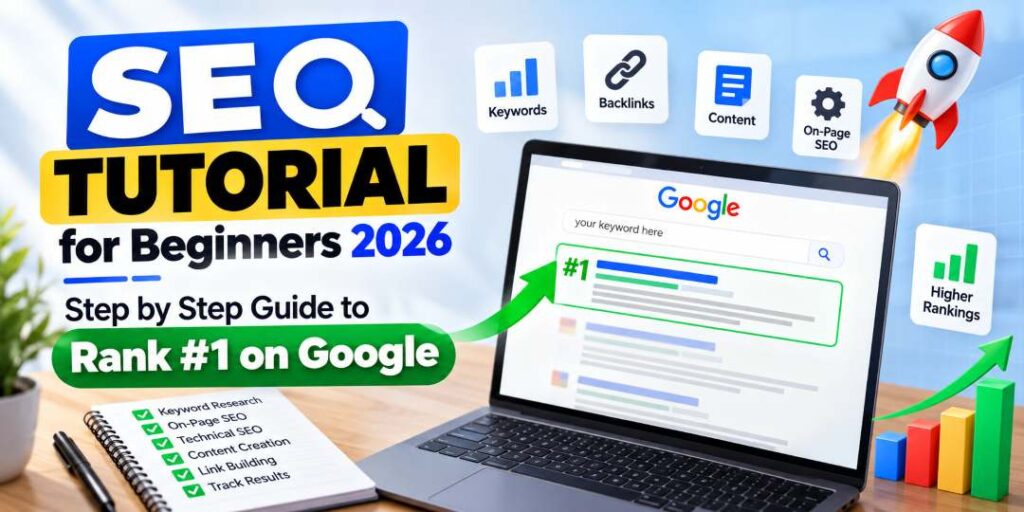
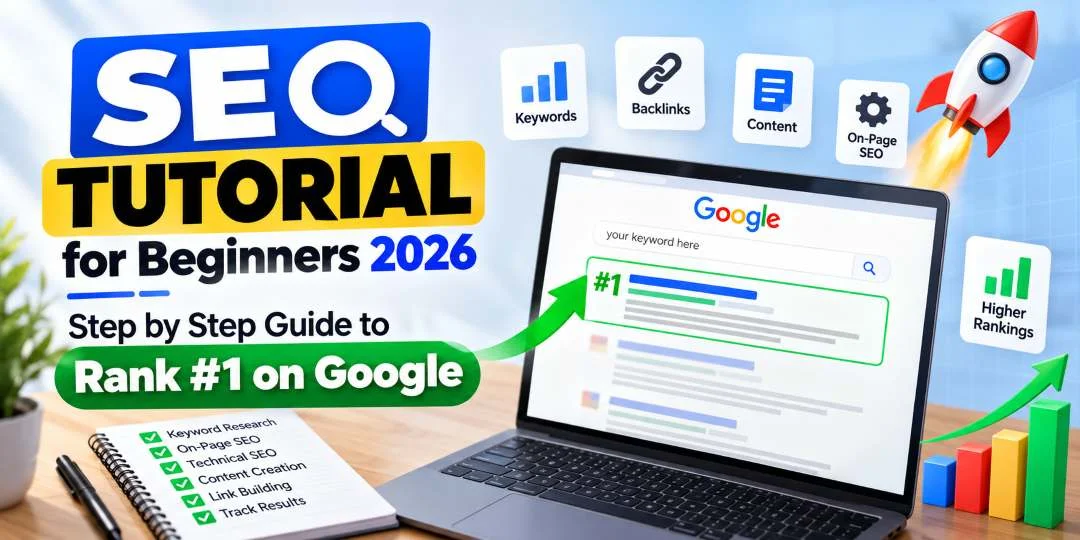
SEO Tutorial for Beginners 2026 – Step by Step Guide to Rank #1 on Google
Welcome to the most comprehensive SEO tutorial for beginners in 2026. If you have ever wondered how websites appear at the top of Google search results, this step-by-step guide will answer every question. Search Engine Optimization (SEO) is the foundation of online visibility, and mastering SEO basics can transform your website from invisible to page one. Whether you are a student, a business owner, a blogger, or someone looking to start a career in digital marketing, this SEO tutorial for beginners will teach you exactly what you need to know to rank #1 on Google in 2026.
What is SEO? Understanding SEO Basics
SEO stands for Search Engine Optimization. It is the practice of improving your website’s visibility in search engine results pages (SERPs) to attract more organic (non-paid) traffic. In simpler terms, SEO helps Google understand what your website is about so it can show your pages to people who are searching for topics related to your content. The better your SEO, the higher your website ranks, and the more visitors you get without spending money on ads.
In 2026, SEO has evolved far beyond keyword stuffing and basic meta tags. Google’s algorithms now use artificial intelligence, machine learning, and natural language processing to understand content at a deeper level. This SEO tutorial for beginners covers modern SEO strategies that actually work in today’s search landscape.
How Do Search Engines Work?
Search engines like Google perform three primary functions:
- Crawling: Google uses automated bots called crawlers or spiders to discover new and updated pages on the web. These bots follow links from known pages to find new content.
- Indexing: Once a page is discovered, Google analyzes its content, images, and video files, and stores this information in a massive database called the index.
- Ranking: When a user types a query, Google searches its index for the most relevant and high-quality pages and displays them in order, using over 200 ranking factors to determine the order.
Why SEO Matters in 2026
Before diving into the technical details, it is important to understand why every SEO tutorial for beginners emphasizes the importance of SEO. Here are the key statistics that show why SEO is non-negotiable in 2026:
- Google processes over 8.5 billion searches per day worldwide.
- 93% of all online experiences begin with a search engine.
- The first organic result on Google has an average click-through rate of 27.6%.
- Over 90% of clicks go to pages on the first page of search results.
- SEO drives 1,000% more traffic than organic social media.
If your website is not optimized for search engines, you are leaving thousands of potential visitors, leads, and customers to your competitors. This is why learning SEO through a proper SEO tutorial for beginners is one of the best investments you can make for your online presence.
Step 1: Master Keyword Research
Keyword research is the foundation of every successful SEO strategy. Before you write a single word of content, you need to know what your target audience is searching for. Here is how beginners can do keyword research effectively:
What is Keyword Research?
Keyword research is the process of identifying the search terms that people enter into Google to find information, products, or services related to your niche. These keywords tell you exactly what your audience wants to learn or buy.
Tools for Keyword Research
- Google Keyword Planner: Free tool that provides keyword ideas, search volume, and competition data.
- Ubersuggest: Free tool by Neil Patel for keyword suggestions and competitor analysis.
- AnswerThePublic: Visualizes questions people ask about your topic.
- Semrush: Premium tool with comprehensive keyword analytics and competitor research.
- Ahrefs: Premium tool for keyword research, backlink analysis, and content ideas.
Types of Keywords by Search Intent
| Search Intent | Example | Goal | Content Type |
|---|---|---|---|
| Informational | “SEO tutorial for beginners” | Learn something | Blog posts, guides, tutorials |
| Commercial | “best SEO tool for beginners” | Research before buying | Comparison posts, reviews |
| Transactional | “buy SEO course online” | Make a purchase | Product pages, landing pages |
| Navigational | “chetaneykhatter.com SEO course” | Find a specific site | Brand pages |
How to Choose the Right Keywords
Beginners should focus on long-tail keywords (3-5 words) with lower competition. For example, instead of targeting “SEO” (which is extremely competitive), target “SEO tutorial for beginners 2026” or “how to learn SEO step by step.” Long-tail keywords have lower search volume but much higher conversion rates because they match user intent more precisely.
Step 2: On-Page SEO Optimization
On-page SEO refers to all the optimizations you make directly on your website pages to improve rankings. This is where most SEO tutorials for beginners spend significant time because on-page factors are entirely within your control.
Title Tags
Your title tag is the first thing users see in search results. It should include your primary keyword near the beginning, be 50-60 characters long, and be compelling enough to earn clicks. Example: “SEO Tutorial for Beginners 2026 – Step by Step Guide to Rank #1”
Meta Descriptions
Meta descriptions are the short snippets under your title tag in search results. While not a direct ranking factor, they significantly impact click-through rate. Keep them between 150-160 characters, include your primary keyword naturally, and add a call to action.
Heading Structure (H1, H2, H3)
Use a clear heading hierarchy to structure your content. Your H1 should contain your primary keyword and match the page title. H2s and H3s should break down subtopics and include secondary keywords. Proper heading structure helps Google understand your content hierarchy and improves user experience.
URL Optimization
Keep URLs short, descriptive, and keyword-rich. Use hyphens to separate words. Example: chetaneykhatter.com/seo-tutorial-for-beginners-2026 is much better than chetaneykhatter.com/p=123.
Image Optimization
Images enhance user experience, but they also offer SEO opportunities. Use descriptive file names (e.g., “seo-tutorial-for-beginners-2026.jpg” instead of “IMG001.jpg”), add keyword-rich alt text, compress images for faster loading, and use responsive images for mobile devices.
Internal Linking
Internal links connect your web pages together, helping Google understand site structure and distribute link equity. Link to relevant existing content on your site. For example, if you are learning SEO, you should also read our best digital marketing course in Delhi guide to understand how SEO fits into the broader digital marketing landscape.
Comparison Table: On-Page SEO vs Off-Page SEO
| Factor | On-Page SEO | Off-Page SEO |
|---|---|---|
| Definition | Optimizations made on your website | Activities conducted outside your website |
| Control | Fully within your control | Limited control (you influence, not control) |
| Key Elements | Keywords, meta tags, headings, content, images, URL structure, internal links | Backlinks, brand mentions, social signals, guest posting, influencer outreach |
| Primary Goal | Help search engines understand and rank your content | Build authority, trust, and popularity |
| Tools | Yoast SEO, Rank Math, Screaming Frog | Ahrefs, Semrush, Moz Link Explorer |
| Time to See Results | 2-4 weeks for indexing, 2-4 months for ranking | 3-6 months or longer for significant impact |
| Cost | Low (time investment) | Can be high (outreach, content creation, PR) |
Step 3: Technical SEO for Beginners
Technical SEO might sound intimidating, but the basics are straightforward. This section of our SEO tutorial for beginners covers the essential technical optimizations every website needs in 2026.
Website Speed Optimization
Google’s Core Web Vitals are official ranking factors. Your website must load in under 2.5 seconds on mobile and desktop. Compress images, enable browser caching, minimize CSS and JavaScript, use a content delivery network (CDN), and choose a fast web hosting provider.
Mobile-Friendliness
Google uses mobile-first indexing, meaning it predominantly uses the mobile version of your site for ranking and indexing. Ensure your website is fully responsive, buttons are tappable, text is readable without zooming, and content fits perfectly on all screen sizes.
SSL and HTTPS
An SSL certificate (HTTPS) is a confirmed ranking factor. It encrypts data between your server and visitors, and Google flags non-HTTPS sites as “Not Secure” in the browser bar. Most hosting providers include free SSL certificates via Let’s Encrypt.
XML Sitemap and Robots.txt
An XML sitemap helps Google discover all the important pages on your website. A robots.txt file tells search engine crawlers which pages to access or avoid. Both files are simple to create and submit through Google Search Console.
Structured Data (Schema Markup)
Schema markup is code you add to your website to help search engines return more informative results. Rich snippets like star ratings, FAQs, how-to steps, and event details can significantly improve click-through rates. This article itself includes multiple schema types including FAQPage, HowTo, and Article schemas.
Comparison Table: White Hat SEO vs Black Hat SEO
| Factor | White Hat SEO | Black Hat SEO |
|---|---|---|
| Definition | Ethical techniques that follow Google guidelines | Manipulative tactics that violate Google’s terms |
| Content Approach | Create high-quality, original content for users | Keyword stuffing, auto-generated content, cloaking |
| Link Building | Earn links naturally through great content and outreach | Buy links, use PBNs, participate in link schemes |
| Timeframe | Slow but sustainable (3-6 months for results) | Fast results (weeks), but short-lived |
| Risk Level | Minimal to none | High risk of Google penalty or de-indexing |
| Long-Term Value | Compound growth, brand building, lasting authority | Temporary gains, constant risk of complete loss |
| Cost | Time and effort intensive | Often expensive (paid links, tools, proxies) |
| Recommendation | Always use white hat SEO | Never recommended |
Step 4: Off-Page SEO and Link Building
Off-page SEO refers to actions taken outside your website to improve your search rankings. The most important off-page factor is backlinks—links from other websites pointing to your site. Google views backlinks as votes of confidence. The more high-quality, relevant websites that link to you, the more trustworthy your site appears.
Link Building Strategies for Beginners
- Guest Posting: Write articles for other reputable websites in your niche with a link back to your site.
- Broken Link Building: Find broken links on other websites and suggest your content as a replacement.
- Skyscraper Technique: Find popular content, create something better, and ask sites linking to the original to link to yours instead.
- Digital PR: Create newsworthy content or data that journalists and bloggers will naturally want to link to.
- Resource Page Link Building: Find resource pages that list helpful links and suggest your content for inclusion.
Comparison Table: Free vs Paid SEO Tools
| Feature | Free SEO Tools | Paid SEO Tools |
|---|---|---|
| Examples | Google Search Console, Google Analytics, Google Keyword Planner, Ubersuggest (limited), AnswerThePublic (limited), Screaming Frog (limited) | Semrush, Ahrefs, Moz Pro, Screaming Frog (full), SE Ranking, Majestic |
| Cost | $0 | $30-$500+/month |
| Keyword Research | Basic volume and competition data | Deep analytics, trends, competitive gaps, keyword groups |
| Competitor Analysis | Limited or none | Full competitor keyword and backlink profiles |
| Backlink Analysis | Google Search Console shows limited backlinks | Complete backlink audit with quality scoring |
| Site Audit | Basic (Google’s Lighthouse, PageSpeed Insights) | Comprehensive audits with prioritized fixes |
| Rank Tracking | Manual or basic tools | Automated daily rank tracking with history |
| Best For | Beginners with limited budget | Serious SEO practitioners and agencies |
Step 5: Content SEO and E-E-A-T
Content is the heart of SEO. Google’s algorithms have become incredibly sophisticated at evaluating content quality. In 2026, the E-E-A-T framework—Experience, Expertise, Authoritativeness, and Trustworthiness—is central to how Google assesses content, especially for topics that impact people’s lives.
How to Create SEO-Optimized Content
- Research search intent before writing any content.
- Include your primary keyword in the first 100 words, naturally.
- Use secondary keywords throughout H2s, H3s, and body text.
- Write comprehensive, in-depth content that fully answers user questions.
- Include original data, case studies, personal experiences, and expert quotes.
- Use bullet points, tables, checklists, and images to break up text and improve readability.
- Update old content regularly to maintain freshness—a confirmed ranking signal.
Beginner SEO Checklist
Use this checklist to ensure you have covered all SEO basics before publishing any page:
| ✓ | Task | Details |
|---|---|---|
| ☐ | Primary keyword identified | Include in title, H1, first 100 words, URL, and meta description |
| ☐ | Title tag optimized | 50-60 characters, keyword near the front, compelling for clicks |
| ☐ | Meta description written | 150-160 characters, includes keyword and call to action |
| ☐ | Heading structure set | One H1 with primary keyword, H2s/H3s with secondary keywords |
| ☐ | URL optimized | Short, keyword-rich, uses hyphens |
| ☐ | Images optimized | Descriptive filenames, alt text, compressed, WebP or modern format |
| ☐ | Internal links added | 2-5 internal links to relevant pages on your site |
| ☐ | External links included | Link to authoritative sources where appropriate |
| ☐ | Content is comprehensive | Covers topic fully, answers related questions, 1000+ words |
| ☐ | Mobile-friendly checked | Use Google’s Mobile-Friendly Test tool |
| ☐ | Page speed tested | Google PageSpeed Insights score of 80+ on mobile and desktop |
| ☐ | Schema markup added | Add relevant structured data (Article, FAQ, HowTo, etc.) |
| ☐ | XML sitemap submitted | Submitted to Google Search Console |
| ☐ | Canonical tag set | Prevents duplicate content issues |
| ☐ | Readability checked | Short paragraphs, clear language, Flesch score 60+ |
Technical SEO Audit Checklist
Run this technical SEO audit checklist monthly to ensure your website is technically healthy:
| ✓ | Task | Tool / Method |
|---|---|---|
| ☐ | Check Google Search Console for errors | Google Search Console > Coverage Report |
| ☐ | Run a site-wide crawl for broken links | Screaming Frog SEO Spider |
| ☐ | Test page speed on mobile and desktop | Google PageSpeed Insights |
| ☐ | Verify mobile responsiveness | Google Mobile-Friendly Test |
| ☐ | Check for duplicate content issues | Screaming Frog or Siteliner |
| ☐ | Ensure SSL certificate is valid | Browser check or SSL Labs |
| ☐ | Test robots.txt file | Google Search Console > Robots.txt Tester |
| ☐ | Validate XML sitemap | Google Search Console > Sitemaps |
| ☐ | Check for 404 errors | Google Search Console > Pages > Not Found |
| ☐ | Test structured data with Rich Results Test | Google Rich Results Test tool |
| ☐ | Audit Core Web Vitals | Google Search Console > Core Web Vitals report |
| ☐ | Check index coverage | Google Search Console > Index > Coverage |
| ☐ | Verify hreflang tags (multi-language sites) | Manual or Screaming Frog |
| ☐ | Check site for malware or security issues | Google Search Console > Security Issues |
| ☐ | Monitor manual actions | Google Search Console > Manual Actions |
Step 6: Measure and Track SEO Performance
SEO is not a set-it-and-forget-it activity. You must continuously monitor your performance and adjust your strategy based on data. Here are the essential metrics every beginner should track:
Key SEO Metrics to Track
- Organic Traffic: The number of visitors coming to your site from search engines (Google Analytics 4).
- Keyword Rankings: Where your pages rank for target keywords (Google Search Console + rank tracking tools).
- Click-Through Rate (CTR): The percentage of people who click your link after seeing it in search results.
- Bounce Rate: The percentage of visitors who leave after viewing only one page.
- Average Session Duration: How long visitors stay on your site.
- Conversion Rate: The percentage of visitors who complete a desired action (purchase, sign-up, etc.).
- Backlink Growth: The number and quality of new backlinks acquired over time.
- Indexed Pages: How many of your pages Google has indexed.
Setting Up Google Search Console and Google Analytics 4
Every SEO beginner must set up Google Search Console (GSC) and Google Analytics 4 (GA4). GSC shows you how Google sees your site, including indexing status, search queries, click data, and technical issues. GA4 reveals how users behave once they arrive—pages visited, time spent, conversions, and more. These two free tools provide all the data you need to make informed SEO decisions.
Frequently Asked Questions (FAQs)
Q1. What is SEO and why is it important for beginners in 2026?
SEO (Search Engine Optimization) is the practice of optimizing your website to rank higher on Google and other search engines. In 2026, SEO is more important than ever because over 93% of online experiences begin with a search engine, and the first page of Google captures over 90% of all clicks. For beginners, learning SEO basics opens the door to organic traffic, career opportunities in digital marketing, and the ability to grow an online business without paying for ads.
Q2. How do search engines like Google work?
Search engines work through three main stages: crawling, indexing, and ranking. Crawling is when Google bots discover new pages by following links across the web. Indexing means Google stores and organizes the content it finds. Ranking is when Google’s algorithm evaluates indexed pages against a user’s query using over 200 ranking factors and displays the most relevant results. Understanding this process is the first step in any SEO tutorial for beginners.
Q3. What is the difference between on-page SEO and off-page SEO?
On-page SEO refers to optimizations you make directly on your website, such as title tags, meta descriptions, headings, content quality, keyword usage, internal linking, and image optimization. Off-page SEO involves actions taken outside your website to improve its authority and reputation, primarily through backlinks from other reputable sites, social signals, and brand mentions. Both are critical for ranking well in 2026.
Q4. How do I do keyword research for SEO as a beginner?
Keyword research involves finding the words and phrases your target audience types into Google. Start by brainstorming topics related to your niche. Use free tools like Google Keyword Planner, Ubersuggest, or AnswerThePublic to discover search volume and competition data. Focus on long-tail keywords (3-5 word phrases) which are easier to rank for. Analyze competitor keywords and group them by search intent—informational, commercial, navigational, or transactional.
Q5. What are the most important Google ranking factors in 2026?
In 2026, the most critical Google ranking factors include high-quality content that demonstrates E-E-A-T (Experience, Expertise, Authoritativeness, Trustworthiness), backlinks from authoritative websites, Core Web Vitals performance (loading speed, interactivity, visual stability), mobile-friendliness, keyword optimization, user engagement signals (click-through rate, dwell time, bounce rate), topical authority, technical SEO fundamentals like SSL and XML sitemaps, schema markup, and content freshness.
Q6. What is technical SEO and do beginners need to learn it?
Technical SEO refers to non-content optimizations that help search engines crawl, index, and render your website effectively. It includes website speed optimization, mobile responsiveness, secure HTTPS connections, XML sitemaps, robots.txt files, canonical tags, structured data (schema markup), and fixing broken links. Yes, beginners should learn technical SEO basics because without a solid technical foundation, even great content may not rank.
Q7. How long does it take to see results from SEO?
SEO is a long-term strategy. Beginners typically start seeing measurable results within 3 to 6 months of consistent effort. However, this timeline depends on factors like your website’s age, competition level, keyword difficulty, content quality, and the number of backlinks you earn. Some low-competition keywords may rank in weeks, while highly competitive terms can take 6 to 12 months or longer.
Q8. What are backlinks and why do they matter for SEO?
Backlinks are links from other websites that point to your website. Google treats backlinks as votes of confidence—the more high-quality, relevant websites that link to you, the more authoritative and trustworthy your site appears. In 2026, quality matters far more than quantity. A single backlink from a reputable industry publication is worth more than 100 low-quality directory links. Building backlinks through guest posting, digital PR, and creating linkable assets is a core off-page SEO skill.
Q9. What is the difference between white hat SEO and black hat SEO?
White hat SEO refers to ethical optimization techniques that follow Google’s guidelines, such as creating high-quality content, earning natural backlinks, and providing a great user experience. Black hat SEO uses manipulative tactics like keyword stuffing, cloaking, private blog networks (PBNs), and buying links to trick search engines. Black hat techniques may produce short-term gains but often result in severe Google penalties, including complete de-indexing. Always stick to white hat SEO for sustainable results.
Q10. Do I need to learn SEO if I use WordPress?
WordPress is inherently SEO-friendly, but it does not guarantee rankings on its own. You still need to follow SEO best practices: optimize your permalink structure, install an SEO plugin like Yoast or Rank Math, create optimized meta tags, use proper heading hierarchy, optimize images, build internal links, submit XML sitemaps, and configure Google Search Console. WordPress makes implementation easier, but the SEO fundamentals remain the same.
Q11. What are the best free SEO tools for beginners?
Excellent free SEO tools for beginners include Google Search Console (monitor indexing and search performance), Google Analytics 4 (track website traffic and user behavior), Google Keyword Planner (find keyword ideas and search volumes), Ubersuggest (keyword research and competitor analysis), AnswerThePublic (discover question-based keywords), Screaming Frog SEO Spider (crawl and audit up to 500 URLs for free), and SEO Quake (browser extension for on-page SEO analysis).
Q12. What is E-E-A-T and does it affect SEO rankings?
E-E-A-T stands for Experience, Expertise, Authoritativeness, and Trustworthiness. It is a framework Google’s quality raters use to evaluate content quality, particularly for Your Money or Your Life (YMYL) topics like health, finance, and legal advice. While E-E-A-T is not a direct ranking factor, Google’s algorithms aim to reward content that demonstrates high E-E-A-T. Beginners should focus on creating accurate, well-researched content written by knowledgeable authors with proper citations.
Q13. Can I learn SEO on my own without taking a course?
Yes, many successful SEO professionals are self-taught. You can learn SEO basics through free resources like Google’s SEO Starter Guide, blogs like Backlinko and Moz, YouTube tutorials, and hands-on practice with your own website or blog. However, a structured digital marketing course in Delhi with live projects and mentor guidance can accelerate your learning, help you avoid common mistakes, and provide placement assistance if you are looking for a career in SEO.
Q14. What is local SEO and how is it different from traditional SEO?
Local SEO focuses on optimizing your website and online presence to appear in local search results, such as “SEO services in Delhi” or “best pizza near me.” It involves claiming and optimizing your Google Business Profile, managing local citations and NAP consistency, collecting positive reviews, and building local backlinks. Traditional SEO targets a broader, often global audience, while local SEO targets customers in a specific geographic area.
Q15. How do I start an SEO career in 2026?
To start an SEO career in 2026, first master SEO fundamentals through online resources or a digital marketing training program. Build a personal website or blog to practice on and create a portfolio of case studies. Learn essential tools like Google Search Console, Google Analytics 4, Semrush or Ahrefs. Earn certifications from Google, HubSpot, and Semrush. Gain practical experience through internships or freelance projects. Network on LinkedIn and apply for entry-level roles like SEO Executive or SEO Analyst. The demand for SEO professionals in Delhi and across India continues to grow rapidly.
Image Suggestions for This Article
| Image Description | SEO Filename | Alt Text |
|---|---|---|
| Infographic showing how search engines crawl, index, and rank | how-search-engines-work-crawling-indexing-ranking.jpg | How search engines work crawling indexing and ranking explained in SEO tutorial for beginners |
| Screenshot of Google Keyword Planner tool showing keyword data | keyword-research-google-keyword-planner-tutorial.jpg | Keyword research using Google Keyword Planner in SEO tutorial for beginners 2026 |
| Dashboard screenshot of Google Search Console performance report | google-search-console-performance-report-seo.jpg | Google Search Console performance report for tracking SEO rankings and clicks |
| Illustration of on-page SEO elements on a web page | on-page-seo-optimization-elements-guide.jpg | On-page SEO optimization elements including title tag meta description and headings |
| Comparison graphic of white hat vs black hat SEO techniques | white-hat-vs-black-hat-seo-comparison.jpg | White hat SEO versus black hat SEO comparison for ethical search optimization |
| Screenshot of Core Web Vitals report in Google Search Console | core-web-vitals-google-search-console-audit.jpg | Core Web Vitals performance audit in Google Search Console for technical SEO |
| Student learning SEO on laptop at a digital marketing institute | seo-training-course-digital-marketing-delhi.jpg | Student learning SEO course at digital marketing training institute in Delhi |
Internal Linking Strategy
This article is part of our comprehensive digital marketing content library. Here are related resources you should explore:
- Best Digital Marketing Course in Delhi 2026 – Complete guide to choosing the right digital marketing training program.
- Read our digital marketing blog for more tutorials on Google Ads, social media marketing, content strategy, and career guidance.
- Our SEO course module covers everything in this tutorial with live projects and expert mentoring.
Conclusion: Your SEO Journey Starts Now
This SEO tutorial for beginners has covered everything you need to know to start ranking on Google in 2026. From understanding SEO basics and keyword research to on-page optimization, technical SEO, link building, and performance tracking, you now have a complete roadmap to follow. The key is to take action: apply what you have learned to your own website, blog, or business site.
Remember that SEO is not a one-time task—it is an ongoing process of improvement. Google updates its algorithms hundreds of times each year, and staying ahead requires continuous learning and adaptation. But the fundamentals covered in this SEO tutorial for beginners will serve you well regardless of algorithm changes.
To accelerate your learning and gain hands-on experience with live projects, consider enrolling in a digital marketing training program under the guidance of an experienced mentor. The best investment you can make is in practical, real-world SEO skills that will serve you for your entire career.
Start optimizing today, track your progress, and watch your rankings climb. Google is waiting for you.
About the Author: Chetaney Khatter is a Google Certified Digital Marketing Trainer and SEO Expert with over 8 years of experience. He has trained 2,000+ students in Delhi-NCR and helped businesses achieve top Google rankings through ethical, results-driven SEO strategies.